The new Ma Seedbox website
3 min read
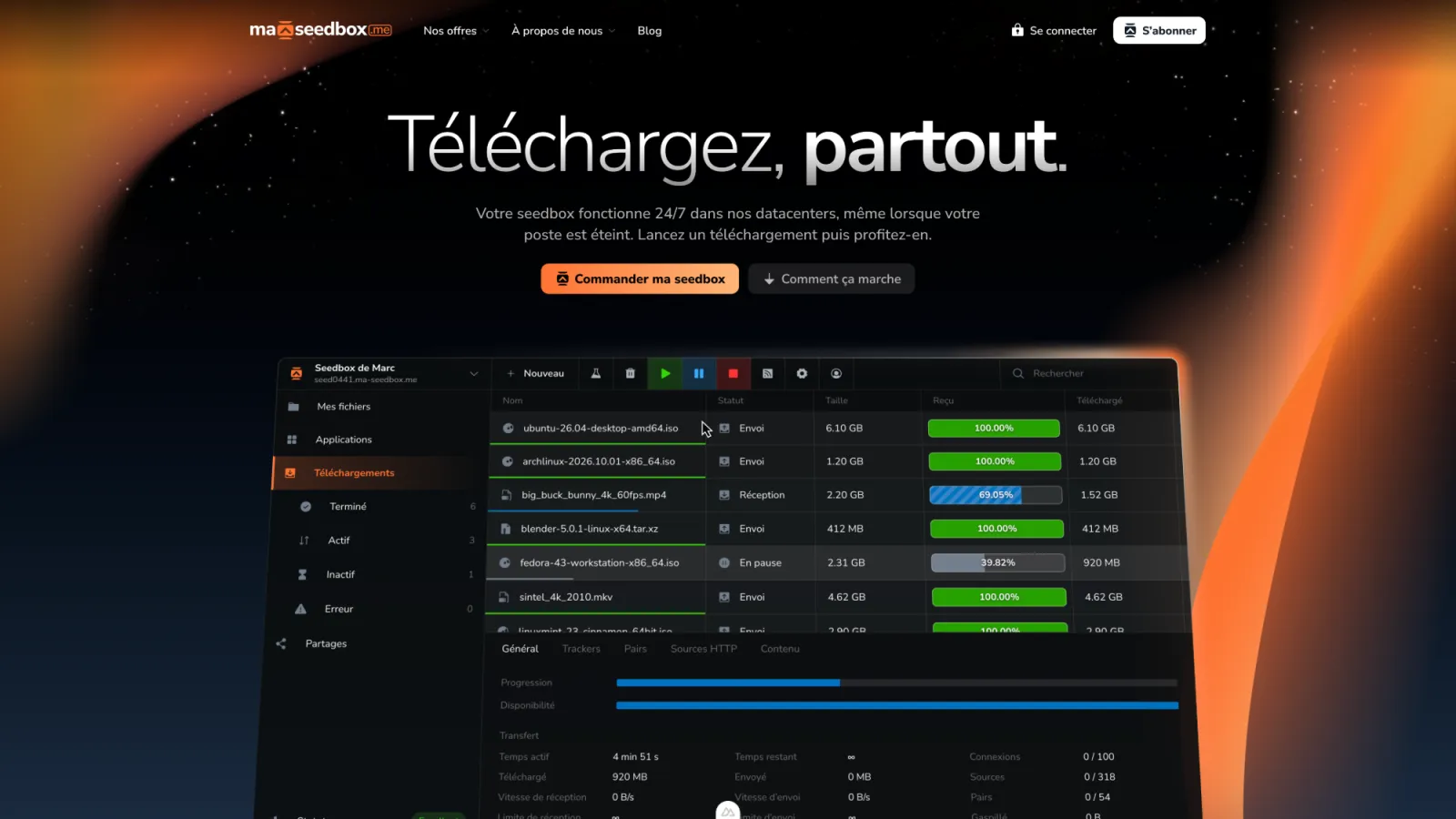
The Ma Seedbox website has been rebuilt. Our goal was simple: show you clearly what a Ma Seedbox seedbox is, what each plan includes and what the interface looks like before you even subscribe. Here is what changes and how we built it.
Why a new website?
The old website did its job, but it did a poor job of explaining the service. You often had to open several pages to compare the plans or understand what you were actually getting.
The new website starts over from scratch, with the new Ma Seedbox visual identity: consistent colors, typography and tone across every page.
What changes for you
The content has been reorganized around the questions you ask us most often.
- A Pricing page that compares the four plans side by side, with a detailed table and a dedicated FAQ.
- An About page that introduces the team, our parent company Harmony Hosting Innovation and our own datacenters.
- A Contact page that brings together every way to reach us.
- An infrastructure status page to follow the availability of our services.
- A blog with guides to help you get the most out of your seedbox.
- Pages dedicated to the most common uses: Plex, Jellyfin, ruTorrent.
Showing the interface instead of describing it
The hardest part of presenting a seedbox is getting across what it looks like day to day. A screenshot quickly becomes unreadable or outdated, and a video is heavy to load.
So we chose to rebuild the interface directly in the page. Under the home page title, a preview of your Ma Seedbox space animates on its own: a cursor scrolls through the list, selects a paused download, resumes it, then filters the active downloads. The tiles in the feature grid follow the same idea, with a file browser, a download list and a ruTorrent settings window.
Stageshow, the tool behind these previews
To design these demo interfaces, we relied on Stageshow, presented at benji.org/stageshow. It is a skill for coding assistants that helps them produce believable mock interfaces: app windows, animated cursors, tile grids.
Stageshow follows a method in several steps: choose the format and style, write the demo script, prepare the screen content, tune the motion, then record the result to check it frame by frame. Its check scripts catch animation jumps and text that overflows its frame.
This method helped us keep the demos short, readable and true to the real product. The previews are regular code, built into the site like any other component, so we can update them when the interface changes.
A fast website that respects you
Every page is generated ahead of time, so it displays quickly. Animations pause if your system asks for reduced motion, and the previews then show their final state right away.
On the privacy side, a banner lets you accept, reject or customize cookies. You can change your choice at any time from the Manage cookies link at the bottom of every page.
What’s next?
Your client area, the documentation and the forum stay available at the same addresses. The website will keep evolving with new articles and new pages.
Have a comment or spotted a mistake? Write to us from the Contact page, we read every message.